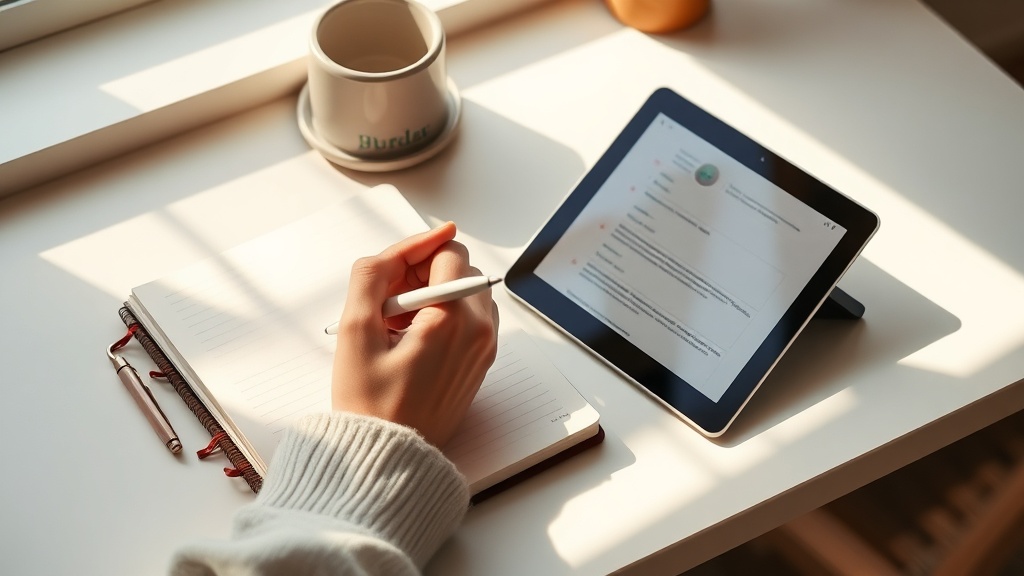
Paper vs. Digital Journaling: A Somatic Architect’s Guide to Choosing Your Medium

Paper vs. Digital Journaling: A Somatic Architect’s Guide to Choosing Your Medium
Hook: Ever felt the weight of a thick 120gsm journal in your hands and wondered if your sleek tablet could ever match that grounding sensation? You’re not alone—your choice of medium can shape the very foundations of your inner architecture.
Why the Medium Matters for Your Nervous System
When we talk about somatic journaling, we’re not just recording thoughts; we’re scaffolding the nervous system. The tactile feedback of paper can calm the nervous system, while the endless flexibility of digital tools can keep the mind racing. Understanding the physiological and psychological impact helps you design a journaling practice that supports rather than stresses you.
What Does Research Say About Hand‑Writing vs. Typing?
How does hand‑writing affect memory and brain activity?
- Princeton & UCLA studies found that students who hand‑write notes retain more information and activate broader brain regions linked to memory, vision, and sensory processing. (Scientific American, 2023)
- Slow, deliberate strokes force you to process ideas, turning fleeting thoughts into concrete structures—much like drafting a building plan.
Does typing improve recall in any way?
- Digital notes excel at searchability and multimedia integration (photos, links, audio). For quick reference, they act like a well‑indexed library, but they can also encourage a perfectionist mindset, turning journaling into a project rather than a sanctuary.
How to Choose Your Medium: A Step‑by‑Step Architectural Checklist
1. Define Your Intent — What are you building?
- Reflection & Depth — If you crave deep, embodied reflection, paper’s tactile resistance offers load‑bearing support.
- Capture & Iterate — If you need rapid capture, multimedia, or seamless syncing across devices, digital tools provide the flexible scaffolding you need.
2. Test the Sensory Load — What feels grounding?
- Paper: The friction of pen on paper, the weight of each page, the smell of high‑quality cardstock. These cues stimulate the parasympathetic branch, calming the nervous system.
- Screen: Blue light, scrolling, and notifications can activate the sympathetic system. Mitigate with a Digital Sunset Ritual—set a 9 PM boundary and dim the screen (Digital Sunset Ritual post).
3. Evaluate Workflow Compatibility
| Need | Paper | Digital |
|---|---|---|
| Portability | Lightweight notebook, but limited to one physical location | Syncs across phone, tablet, laptop |
| Searchability | Manual scanning, index pages | Instant keyword search |
| Multimedia | Doodles, collage, tactile texture | Photos, audio clips, hyperlinks |
| Privacy | Physical lockbox, no data breach risk | Encrypted apps, but potential cloud exposure |
4. Align with Your Architectural Philosophy
- “Load‑Bearing White Space”: If you value empty time to let ideas settle, a paper journal naturally enforces pauses between pages.
- “Dream‑to‑Draft Framework”: Use paper for the draft stage (raw, messy, visceral) and digital for the final blueprint (organized, shareable) (The Dream‑to‑Draft Framework post).
Quick‑Hit Guide: Setting Up a Hybrid System
- Morning Capture (Digital) — Open your favorite app (Day One, Notion, or a simple notes app) and jot down rapid thoughts, ideas, and to‑dos. No editing, just a brain dump.
- Mid‑Day Reflection (Paper) — Transfer the most resonant items into your 120gsm journal. Write slowly, feel the pen, and add doodles or tactile prompts.
- Evening Integration (Paper + Digital) — Use the Evening Somatic Journaling Prompts to explore emotions, then type a brief summary or tag keywords for future searchability.
- Weekly Review (Digital) — Export your journal pages as photos, tag them, and create a digital archive. This respects both load‑bearing practice and searchable efficiency.
Common Pitfalls & Pro Tips
- Pitfall: Letting the digital app become a productivity tracker rather than a somatic container.
- Pro tip: Disable notifications while journaling and set a timer (5‑10 minutes) to stay present.
- Pitfall: Over‑filling paper journals, causing decision fatigue.
- Pro tip: Embrace the “Permission to Be Undone” mindset—allow unfinished pages; they’re part of the design (The Permission to Be Undone post).
- Pitfall: Relying solely on one medium and missing out on the other’s strengths.
- Pro tip: Rotate mediums weekly to keep the practice dynamic and prevent regulation traps.
Takeaway: Build a Journaling Habitat That Serves Your Nervous System
Your journaling medium isn’t a binary choice—it’s a design decision that influences how your nervous system stores, processes, and heals. By aligning the tactile heft of paper with the fluid flexibility of digital tools, you create a balanced architecture where thoughts can be both grounded and expansive.
Next step: Choose one paper journal you love (120gsm+), set a 9 PM digital sunset, and try the hybrid workflow for a week. Notice how your nervous system feels—more anchored, less scattered.
Related Reading
- The Dream‑to‑Draft Framework: Why Manifesting Without a Site Plan Fails — A deeper dive into turning visionary ideas into actionable drafts.
- Digital Sunset Ritual: A 9 PM Boundary for Your Nervous System — How evening tech limits protect your nervous system.
- White Space Is Load‑Bearing: A Designer’s Case for Empty Time — The power of intentional gaps.
- The Architecture of a Spring Thaw — Seasonal metaphors for internal renewal.
- The Somatic No: Your Body’s Permission to Redesign — Learning to say no as a design principle.
FAQ (Rich Snippet)
{ "meta": { "faqs": [ {"question": "Does handwriting improve memory compared to typing?", "answer": "Yes. Studies from Princeton and UCLA show that handwritten notes activate broader brain regions and lead to better short‑ and long‑term retention."}, {"question": "Can I use both paper and digital journaling together?", "answer": "Absolutely. A hybrid system leverages the grounding feel of paper and the searchable flexibility of digital tools."}, {"question": "How can I prevent screen fatigue while journaling digitally?", "answer": "Set a Digital Sunset Ritual: stop using screens after 9 PM and dim blue light. Use a night‑mode app to reduce eye strain."} ] } }